01
AI reads the company
Every agent
AI crawls the site and writes the offer, the audience, the voice, and the brand. Website chat, card flows, LinkedIn, and mail start from that.
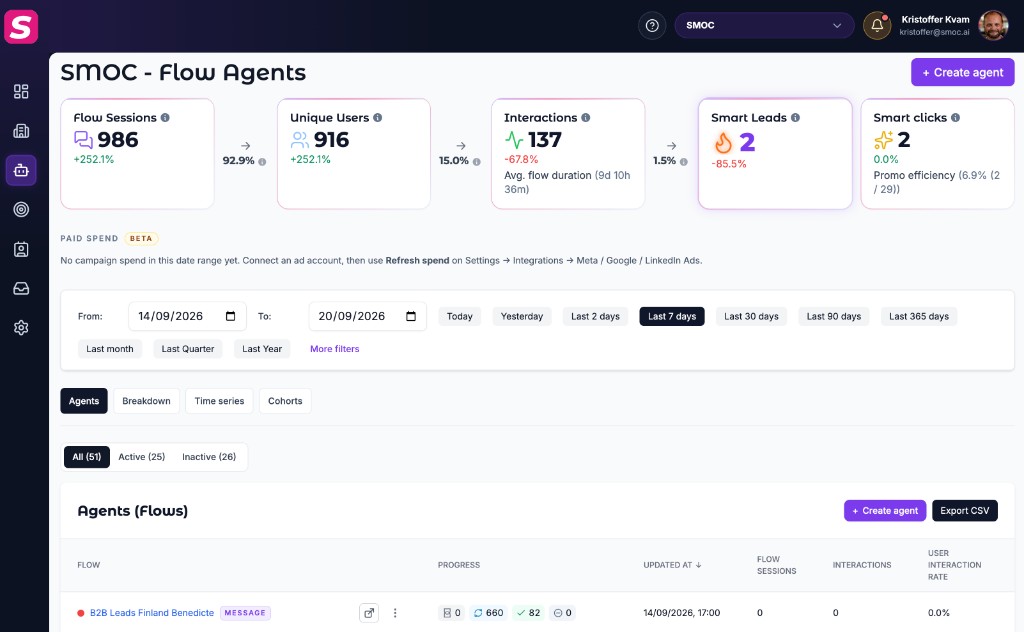
After agents are live, Agents is where you monitor performance beyond the company Dashboard overview.
The Agents overview opens with:
Change the date range in the header to compare periods. Open Explore from the section tabs when you want time series or cohort views at company scope.
Click an agent name in the leaderboard (or a recommendation in Agent coach) to open agent detail. There you see channel-specific analytics shells—web sessions and conversions, LinkedIn outbound and funnel, email delivery, and paid attribution when connected.
Edit in Studio opens the flow in Studio in a new tab when operator keys are available on the agent.
On Dashboard → Overview, Agent coach and Individual agents sit beside revenue KPIs and the reply queue. Use Overview for company-wide revenue and the next reply; use Agents for channel rollups and the full leaderboard.
On a LinkedIn message agent, Breakdown shows outbound actions in the selected range, Best sending times, Planned actions for the next seven days (Europe/Oslo), and enrollment funnel totals. The date filter applies to outbound actions; funnel counts reflect current enrollments.
| Flow type | Flow Sessions | Unique Users |
|---|---|---|
| Web | Opens or starts of the flow experience | Distinct people in the period (deduplicated) |
| LinkedIn message | Successful LinkedIn activity (view, connect, DM, InMail) | Distinct contacts with that activity |
Enrollment alone does not create a session for message flows. Check Planned actions when enrolled is high and sessions are low.
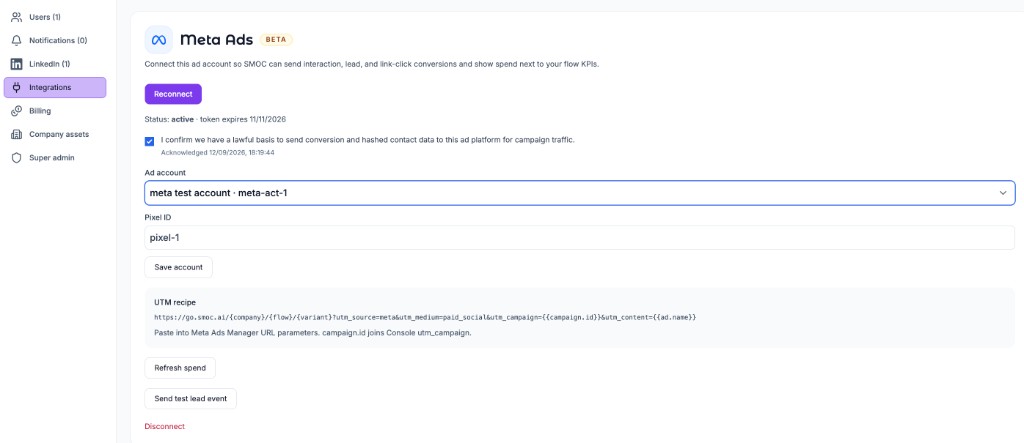
When ads accounts are connected, Paid spend appears under channel KPIs. Sync runs hourly; use Refresh spend for a longer backfill. See Connect Meta, Google, and LinkedIn Ads.
For path-level insight, open the agent in Studio Design → Analysis, or Recommendations for AI suggestions. The Dashboard Agent coach can steer you to the same once there is enough traffic.
Where AI runs
Website chat, card flows, LinkedIn, and mail share one system. AI does each job below. The line under the title says where that job runs.
Every agent
AI crawls the site and writes the offer, the audience, the voice, and the brand. Website chat, card flows, LinkedIn, and mail start from that.
Dashboard · Lead Strategy
Set your lead goal. AI simulates thousands of channel mixes, ranks them by efficiency, and shows the most cost-effective plan. Your data and constraints shape the math.
Every agent · theme on web · lists on LinkedIn and mail
AI writes the flow. Theme runs on website chat and cards. Translation runs on every agent. AI finds the prospect list on LinkedIn. Mail uses the prospect lists you already have.
Path on every flow · web, LinkedIn, and mail
Reinforcement learning on the flow path runs on every agent. Recommendations run on web. Right timing and reply reading run on LinkedIn and mail.
Every agent
AI proposes a variant, uses your review on the next draft, and starts from an example that already works. You apply the change.
Continue learning with these related guides
Get product updates and perspective on proactive AI agents, multichannel orchestration, and conversion—without the noise.
 Weekly signal on proactive AI sales
Enter your email below to get started with SMOC.AI